If you want your headings to stand out without feeling chaotic, pairing a serif font with a sans serif is a straightforward strategy. The visual tension between the two styles creates a clear hierarchy that guides the reader's eye from headline to body text.
What makes a good serif and sans serif combination for headings?
The idea is simple: use one font with decorative strokes (serif) and one without (sans serif) to create contrast. The serif font adds a sense of tradition and structure, while the sans serif feels clean and modern. Together, they balance each other out.
When this works, your content becomes easier to scan. A strong headline in a bold serif paired with a light sans serif subheading tells the reader what matters first. That clarity is why serif and sans serif font combinations for headings are so common in professional web design.
When should you use this contrast combination?
If your website or article uses long body text, a serif for headings can help separate sections clearly. Sans serif headings work better for digital-first designs where readability on screens is priority. But combining both gives you the best of both worlds.
For example, a news site might use a classic serif for main headlines and a geometric sans for subheadings. A creative portfolio could flip that: a thin sans serif for the big title and a heavy serif for secondary headers. It depends on the mood you want to set.
How to adjust the pairing based on your project?
Think about your audience and the feeling you want. If your brand is formal or editorial, reach for a classic serif like Playfair Display or Georgia and pair it with a neutral sans like Open Sans. That combination leans trustworthy and conservative.
For a modern, tech-forward look, try a geometric sans like Montserrat with a subtle slab serif like Roboto Slab. The contrast stays strong but feels more contemporary. You can see several examples of modern font pairings with strong visual contrast that follow this logic.
If the design needs high impact – like a landing page headline – go for a bold display serif combined with an ultra-light sans serif. The weight difference creates drama. That style matches the approach described in bold and light font pairings for website headers.
For something timeless, stick with a classic serif (Garamond, Baskerville) and a geometric sans (Futura, Century Gothic). This is the safest choice for blogs, magazines, and corporate sites. It's detailed in classic serif and geometric sans font combinations.
Common mistakes and how to fix them
The biggest error is picking two fonts that are too similar. If both have similar stroke widths or proportions, the contrast disappears. Your headings look flat. Fix this by choosing one font with obvious serifs and one without, and vary their weights (bold vs regular).
Another mistake is ignoring readability on small screens. A very thin serif font might look elegant on desktop but become unreadable on mobile. Test your pairings at different sizes. Use the sans serif for smaller subheadings or body text – it's usually more legible.
Don't use more than two typefaces. One serif for main headings and one sans for subheadings or body is enough. Adding a third creates visual noise. Stick to the pair.
Finally, don't force contrast with extreme size differences alone. A small heading in serif with huge sans subheadings will confuse hierarchy. Keep heading sizes in a logical order: H1 larger than H2, and so on.
Quick checklist for pairing serif and sans serif headings
- Choose one serif font and one sans serif font.
- Make sure they have noticeable contrast in style or weight.
- Test the combination on both desktop and mobile screens.
- Use the serif for primary headlines, sans for subheadings or vice versa – but keep the pattern consistent.
- Avoid mixing two serifs or two sans serifs unless you have a specific reason.
- Limit the number of font families to two per project.
Start by picking a trial pair from the examples above. Adjust the sizes, spacing, and weights until the hierarchy feels natural. Once it looks clean, you are ready to publish.
Download Now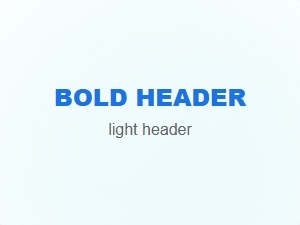 Creating Contrast with Bold and Light Font Pairings
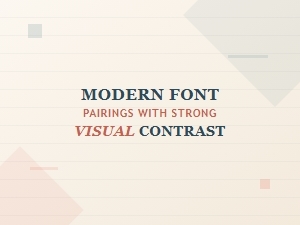 Modern Font Pairings with Strong Visual Contrast
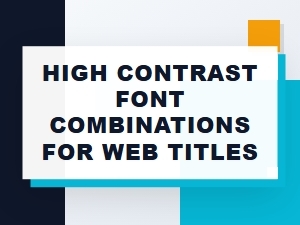 High Contrast Font Pairings for Web Titles
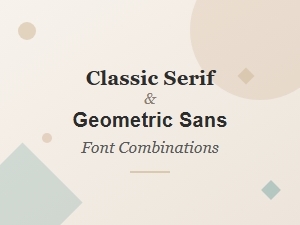 Pairing Classic Serif with Geometric Sans
 Best Font Pairings for Modern Website Headings
 Elegant Serif Font Combinations for Luxury Branding